
Headshots for LinkedIn: A Photographer's Guide (2026)
Your LinkedIn photo gets judged in under a second, thousands of times a year, by people you'll never know were looking. We've photographed professionals in London for over 30 years, and most of them arrive convinced they're the least photogenic person we've ever met. They're wrong, and this guide covers everything we tell them: what works, what to wear, the specs LinkedIn uses, and an honest view on AI generators.
What makes a LinkedIn headshot work
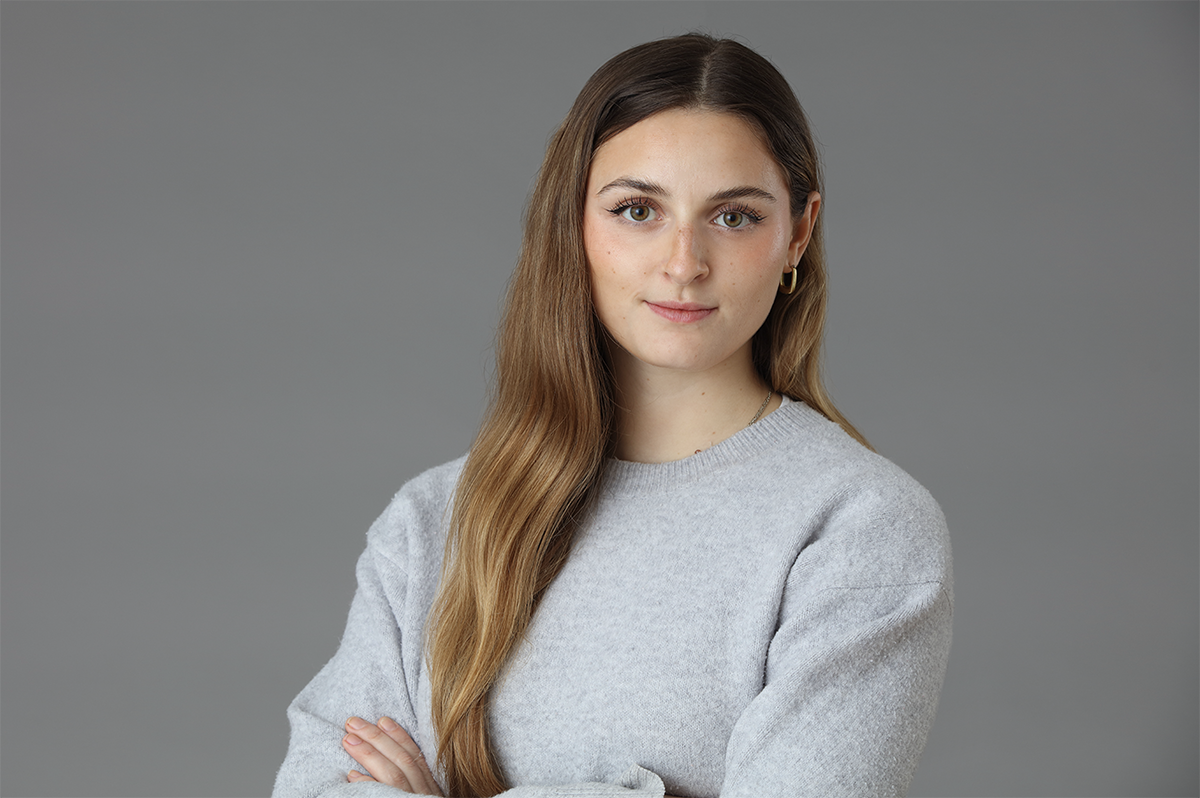
A LinkedIn headshot works when it looks like you on a good day: recent, sharp, well lit, and framed so your face does the talking. LinkedIn's own guidance says members with a photo get up to 14 times more profile views. Recognition is the job, not glamour.
LinkedIn puts it well in that same advice piece: your photo should give people a clear idea of what you'd look like if they met you tomorrow. Not you at a wedding in 2019. Not you filtered into porcelain. You, on a decent Tuesday.
There's a practical test we give clients: shrink the image down to the size of a five pence piece. That's roughly how it appears next to your comments. If your face still reads clearly at that size, with visible eyes and a clean background, it works. If it turns into a murky thumbprint, it doesn't matter how nice the full-size version looks.
The specs LinkedIn actually uses
LinkedIn accepts profile photos from 400 by 400 pixels up to 7680 by 4320, with an 8MB file limit. Your photo displays as a circle, and your face should fill around 60 per cent of the frame. Shoot slightly wider than feels natural so the circular crop has room to breathe.
Those numbers come from LinkedIn's photo guidance, and the circle is the one that catches people out. A composition that looks balanced as a rectangle can lose an ear, or half a head, once LinkedIn rounds it off. When we shoot for LinkedIn we frame with the circle in mind and deliver a square crop that survives it.
One more spec worth knowing: upload the largest clean file you have within the limit. LinkedIn compresses aggressively, and a 400 pixel original that gets compressed again starts to look like it was faxed.
Wear what you'd wear to meet a client you respect. Solid mid-tones photograph best: navy, charcoal, burgundy, deep green. Avoid busy patterns, visible logos, and tops close to your own skin tone, which blend into your face on camera. When in doubt, bring a jacket.
What to wear (and what quietly ruins the shot)
If your work is suits
Keep the suit, lose the distractions. A well fitted navy or charcoal jacket over a plain shirt reads as competent at any size. Check the collar sits right at the neck, and iron everything. Creases you'd never notice in a mirror turn into tram lines under studio light.
And If it isn't
Smart casual photographs beautifully when it's deliberate. A fine knit, a structured blazer over a plain tee, a simple blouse: all of these work. What doesn't work is anything you'd describe as "fine, probably". Fabric that's bobbled, stretched or shiny gets amplified by a camera, and so does a neckline fighting with the circular crop.
Glasses wearers: keep them on if you wear them daily, since the photo should look like the person who turns up to the meeting. Clean them properly first. Fingerprints flare under studio light like tiny signal fires.
Angle your body 30 to 45 degrees away from the camera, then turn your head back to the lens. Keep the camera at eye level. Aim for a genuine smile rather than a held one: LinkedIn's guidance notes that smiles showing teeth were rated about twice as likeable as closed-mouth versions.
Most people who book us open with some version of "I hate having my photo taken". Good news: that's the normal condition. Almost nobody enjoys it, including, in our experience, several people who model for a living.
Posing fixes less than people think. What fixes a stiff photo is the ten minutes of chatting before we take anything seriously, which is why we shoot the way we do: we snap as you chat. Somewhere in the conversation the held smile falls away, the shoulders drop, and the frame we keep is the one where you'd forgotten the camera existed.
If you're doing this yourself, borrow the same trick. Have whoever's holding the phone talk to you between frames, and take far more photos than feels reasonable. Out of forty frames, two will be right, and that ratio is normal for professionals too.
Expression and posing, for people who hate cameras
Phone photo, AI generator, or photographer?
An honest answer from people who sell headshots: a good phone photo beats a bad professional one, and any real photo beats an AI portrait that no longer looks like you. Pay for a photographer when the image needs to work hard for years across LinkedIn, your company site and the press.
When a phone photo is genuinely fine
You need three things: soft light, distance and a second person. Stand facing a large window, have a friend step back two or three paces so the lens doesn't distort your features, and shoot at eye level against a plain wall. For a first job or a profile refresh on a budget, this can be completely respectable.
What AI generators trade away
AI headshot tools have improved, and we won't pretend otherwise. Two problems persist. First, the results drift towards what one Reddit user memorably called a generic business human: your features, averaged into nobody. Colleagues notice, and "your photo doesn't look like you" is a worse first impression than no photo. Second, you're uploading a folder of your face to a company you found twenty minutes ago, and facial data is not a thing you can change later. Regulators on both sides of the Atlantic have flagged biometric data as a rising privacy concern.
When a photographer earns the money
Book a professional when the stakes justify it: a senior role, a client-facing position, a company rebrand, a speaking profile. Around London, individual sessions run from roughly £100 to £300 depending on photographer and format. Ours start from £180 at our Clapham studio, and the session covers direction, proper lighting, natural retouching and crops sized for LinkedIn.
Mistakes we regularly see every week
Four habits do most of the damage: cropping yourself out of a group photo, using a picture from five years and two haircuts ago, retouching until your skin has no texture left, and choosing a frame where your face is a small feature in a large scenic shot. Refresh your photo every two to three years.
Each of these fails the same test. A group-shot crop leaves a mystery shoulder in frame and your face at half resolution. An old photo means the first in-person impression you make is "not quite the person from the profile". Over-retouching reads as insecurity, and tiny-face-in-big-scene wastes the only space LinkedIn gives you. Your face, filling the circle, looking like you do this year: that's the whole assignment. Our post on what to wear for corporate headshots covers the wardrobe half of the equation in more depth.
Getting a headshot done in London
We photograph LinkedIn headshots at our studio on Venn Street in Clapham, or at your office if that suits better. Sessions start from £180, take well under an hour, and you will be promptly supplied with retouched images cropped for LinkedIn's circle. Nervous sitters are our speciality, not our exception.
You can see recent work in our gallery, read about our services, or just drop us a line and tell us what you need the photo to do. If it's a whole team that needs sorting rather than one profile? no problem, we’ll happily take you through the process of how it works.
We shoot professionals, not mugs. Come and prove yourself wrong about being ‘unphotographable’.
Quick questions we get asked
Three questions come up in almost every LinkedIn headshot booking, so here are the answers we give in the studio, kept short enough to act on without reading the whole guide again.
Plain and unfussy: light grey, soft white, muted studio tones, or a gently blurred office. A background earns its place by disappearing. If people comment on it, it's working against you, because the frame is small and your face needs all of it.
What background is best for a LinkedIn headshot?
Every two to three years, or sooner after a major change in glasses, hair or beard. A useful test: would a stranger who studied your profile recognise you in reception? If there's any doubt, it's time.
How often should I update my LinkedIn photo?
Can I use the same photo on other platforms?
Yes, and you should. One consistent photo across LinkedIn, your company page, email and Teams builds recognition faster than a different image everywhere. Ask your photographer for square, circular and wide crops of the same frame so it fits each platform properly.